Keep your current provider.
Add another Visa / Mastercard
payment route.
- No setup fee
- No monthly fee
- Processing fee from 5.2%*
- Works alongside your current provider
* The processing fee for high-risk products is 10%–13%.
RazPay extends credit card payments to products and services that typical payment providers find difficult to support. If you pass review, you can hold a RazPay payment account with no setup fee and no monthly fee.

 Card network
* Merchant review is required. Approval is not guaranteed and service may be unavailable depending on the review result.
Designed for businesses that need another path.
- Adult
- Digital Content
- High-ticket
- Continuity
- World Business
Turn the card sales you’ve been missing
into new revenue.
“Card payments aren’t available for this one product.”
“We were turned down for card payments because of our business or products.”
“We can only offer payment methods other than cards.”
“We want a second payment route alongside our current provider.”
RazPay accepts merchant applications even in cases like these.
No need to change
your current payment provider.
RazPay doesn’t replace your current payment setup.
Keep using your existing provider and add RazPay as an additional card payment route.
Processing fees start from 5.2%.
You can also secure an account first
and use it when you need it.
It can also serve as an additional payment option in case card payments are restricted or suspended, or certain products are limited.
Adult and high-risk businesses
can apply for review.
RazPay accepts applications from businesses and products that typical payment providers find difficult to support — including adult, digital content and high-ticket goods and services. You can apply even if another provider has declined you for card payments.
Applications accepted from adult and high-risk businesses
Explore card payment options, even for business categories other providers found difficult to support.
- Adult / Digital content
- High-ticket, intangible and continuity services
- Other high-risk categories reviewed individually
Customers purchase seamlessly by credit card
Purchase an equivalent-value NFT and exchange it directly for goods or services.
- Pay with Visa / Mastercard
- Purchase an NFT equivalent in value to the offering
- Exchange the NFT for goods or services in real time
English and Japanese staff support
From pre-application questions and review documents to setup and live operations, our team supports you by email in English and Japanese.
- Pre-onboarding consultation
- Review and setup support
- Ongoing operational support
Choose an integration
that fits your business.
Choose the method that fits your current sales process and systems. After you apply, our staff support you in English and Japanese from review through setup and launch.
Your order from XXX STREAMING
Thank you for your order. Please complete your payment with the button below.
 RazPay
Customers go from your site to the RazPay payment page and come back after paying.
See the APIIllustration. Names and amounts are examples.
Purchase by credit card.
Exchange your NFT for goods or services in real time.
Simple steps for customers. A new credit card payment option for merchants.
 Digital Content Premium
Annual premium plan with 4K videos and exclusive content.
- Payment completedYour payment is complete. The order completes when you confirm receipt.
- NFT voucher issuedUsable for the content you purchased.
- Content deliveredThe merchant delivers your content.
- Receipt confirmedConfirming receipt completes the order and makes the payment eligible for settlement to the merchant.
Digital Content Premium
Confirm that you received your content to complete the order. Your payment of USD 5,000.00 has already been made.
Specific NFT issuance, transfer and exchange terms, eligible jurisdictions, and compliance with applicable laws and card-network rules are subject to merchant review and contractual terms.
Connect your site with a RESTful API.
Create a Checkout Session from your server and send the customer to the RazPay payment page. You receive the result by webhook and the customer returns to your site. The sale is finalized when the customer confirms receipt. Payments are processed in USD and settled in USDC (Polygon).
- JSON over HTTPS
- Idempotency-Key on every POST
- Signed webhooks and an Events API for reconciliation
- API keys issued in your merchant console
View the endpoint list (for developers)
/v1/checkout-sessionsCreate a Checkout Session (hosted payment page or embedded)/v1/checkout-sessions · /{id}Retrieve or list Checkout Sessions/v1/payments · /{id}Retrieve or list payments/v1/transactions/{id}Retrieve the transaction status (paid / awaiting settlement / settled)/v1/payment-linksCreate a payment link/v1/settlementsList your settlement statements/v1/eventsEvents for reconciling missed webhooks/v1/products · /v1/invoices · /v1/refundsProducts, invoices and refundsBase URL: https://www.raz-pay.com/api/v1. API keys are issued in your merchant console after your account is approved. See the API reference for every endpoint and field.
Recurring billing, handled for you.
Bill customers monthly, every 3, 6 or 12 months. RazPay sends each bill by email with a payment link, reminds customers before the due date and tracks unpaid bills for you. Each payment goes to your transactions and settlement like any other payment.
This is your recurring bill for the Standard plan. Please pay by the due date with the button below.
- 7 days beforeBill with payment link
- ReminderOnly if not yet paid
- Due datePaid by 24:00 (Japan time)
- If unpaidAlert and follow-up emails
Customers pay by card from the email link each time; cards are not stored for automatic charging. Illustration — names and amounts are examples.
Run your sales from one console.
See sales in USD, transactions waiting for receipt confirmation and your USDC (Polygon) settlement schedule in one place.
- Dashboard
- Transactions
- Payment Link
- Products
- Invoices
- Settlements
- API keys
Month-end closing → end of following month
Sales and fees are totalled in USD, and the USDC amount is fixed at the settlement rate.Screens show sample data.
Start with an application for review.
First, please apply for review.
We explain eligibility, required documents and integration options.
Review the terms offered after screening before deciding whether to proceed.
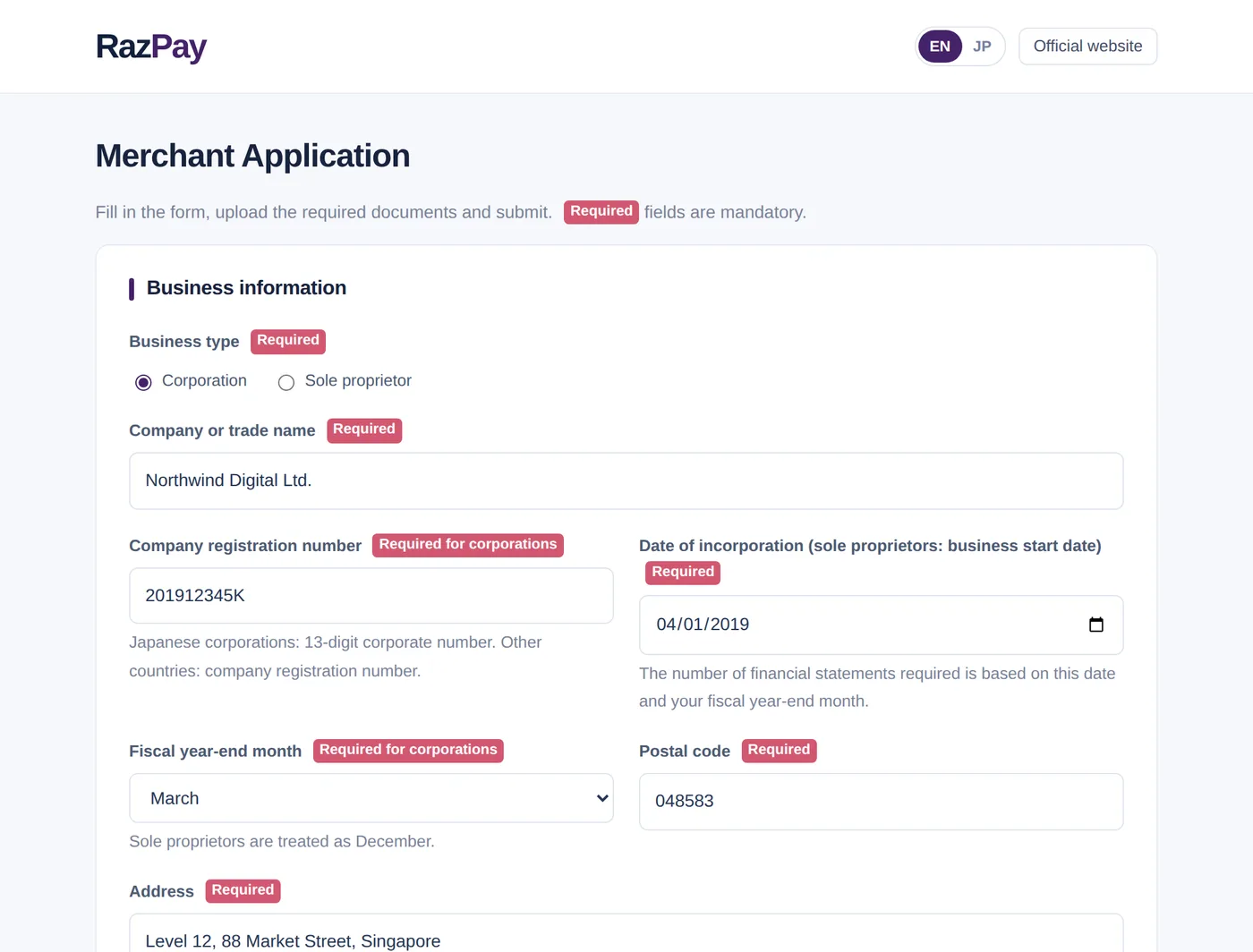
Online application
Provide company, business, product and sales-site information.
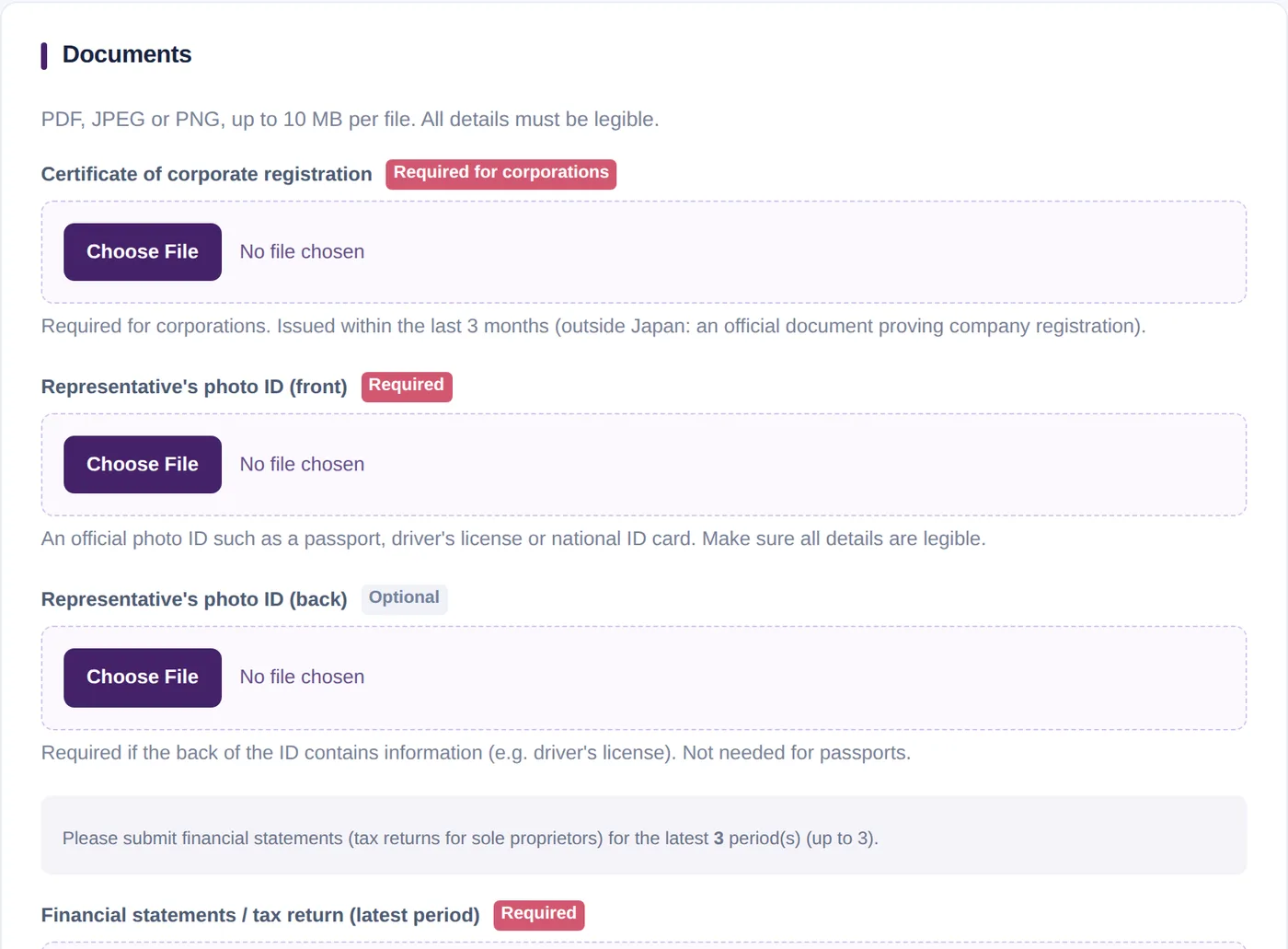
Document verification
Identity/company verification, product materials and sales terms may be required.
Merchant review
Industry, sales model and risk-control operations are reviewed individually.
Terms offered
We provide the review result, processing fee and required conditions.
Account issued
Complete setup and testing, then begin accepting payments.
Fees & settlement
Processing fees start from 5.2% (10%–13% for high-risk products). Risk varies materially by category and sales model, so your rate is quoted individually after merchant review.
High-risk friendly does not mean
no review.
RazPay is not a “no-screening” or “guaranteed approval” service. Illegal, unlicensed or rights-infringing businesses are not eligible.
- Review of business, sales site and products/services
- Review of refund, cancellation and age-verification controls
- Additional documents or remediation may be requested
See how RazPay works, in about a minute.
From your account email to your first USDC settlement: what you do as the merchant, what your customer does to pay, and how the payment reaches settlement. Real screens.
Frequently asked questions
Are there setup or monthly fees?
No. There is no setup fee and no monthly fee. Processing fees start from 5.2% (10%–13% for high-risk products) and are quoted individually after review.
Can I use RazPay alongside my current payment provider?
Yes. You don’t need to change your current provider — RazPay can be added as an additional card payment route.
Can customers pay without leaving my website?
Yes. With the embedded checkout of the API, the RazPay payment confirmation (amount, your customer’s details, agreement to the Terms of Use and how the transaction completes) is shown inside your own checkout page. Card details are entered on the secure payment page, which opens in a separate window (a new tab on mobile), closes automatically after payment, and the result appears inside your page. When the payment becomes eligible for settlement immediately, the customer can press “No problems” there to complete the transaction. The RazPay payment confirmation and the agreement to the Terms of Use cannot be skipped, as they are part of how RazPay works. Register the websites that show the checkout in your merchant console.
Do customers have to enter their details twice?
No. When you create the payment with the API and pass the customer’s name, email and phone number (with the country code), the RazPay page shows them for confirmation only. The card payment page may still ask for a phone number, because it is required for card authentication (3D Secure).
Can I bill customers on a recurring basis?
Yes. Create a plan (monthly, or every 3, 6 or 12 months) in your merchant console and share its sign-up link or QR code. RazPay emails each bill with a payment link 7 days before the due date, sends reminders, and alerts you to unpaid bills. Paid bills are included in your settlement like other payments.
Are customers charged automatically each time?
No. Cards are not stored for automatic charging. Customers pay by card from the link in each billing email. To pause or cancel, customers contact you, and you do it from your merchant console.
Can adult and high-risk businesses apply?
Yes. Applications are accepted for review. Each application is assessed individually based on the category, offering and business operations.
How do customers purchase and exchange an NFT?
Customers choose goods or services and purchase an equivalent-value NFT by credit card. The NFT is then exchanged for the selected goods or services in real time.
What are the payment and settlement currencies?
Payments are processed in USD (US dollars). Merchant settlement is paid in USDC (Polygon). Yen amounts shown on the Japanese site are for reference only.
What is USDC (Polygon)?
USDC (USD Coin) is a stablecoin — a digital currency designed to keep a 1:1 value with the US dollar — issued by Circle in the United States. RazPay pays merchant settlements in USDC on the Polygon blockchain. • Settlement amounts are calculated in US dollars (USD). Conversion from USD to USDC is performed by the payment service provider (PSP) that processes the payment, at the rate set under its conditions; RazPay does not exchange currencies. • USDC exists on several blockchains. RazPay sends USDC on the Polygon network only; you cannot choose to receive it on Ethereum or other networks. • The value of USDC is not guaranteed to always equal one US dollar. Blockchain transfers cannot be reversed once sent.
How do I receive USDC?
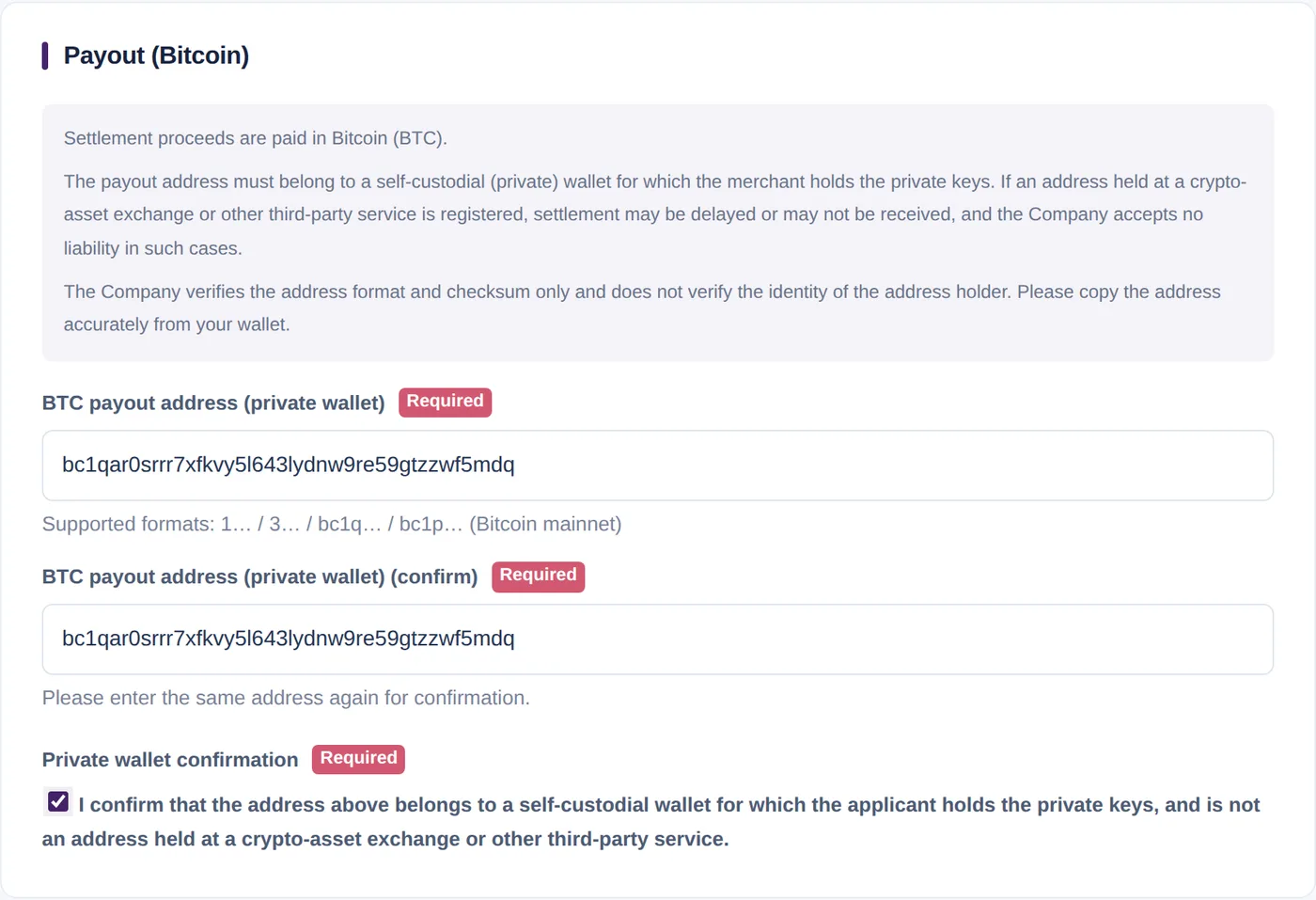
Prepare a wallet whose private keys you control yourself (a self-custody wallet) and register its Polygon network address with RazPay. RazPay does not introduce or recommend any specific wallet or exchange. The general steps are: 1. Get a self-custody wallet that supports the Polygon network (a smartphone app or browser extension) from the provider’s official website or an official app store. Watch out for fake apps with similar names. 2. When you create the wallet, it shows a recovery phrase. Write it down and keep it offline, and never share it with anyone. RazPay staff will never ask for it. 3. In the wallet, select the Polygon network, then show and copy your receiving address (42 characters starting with 0x). 4. Register that address in the merchant application form. After registration, RazPay changes it only after verifying your identity. 5. After the settlement is sent, USDC appears in your wallet. If it does not, check that your wallet is set to show USDC on Polygon. • Receiving costs no network fee. Sending the USDC on to another address requires a Polygon network fee (paid in POL). • Addresses whose private keys you do not control yourself, such as crypto exchange addresses, cannot be registered. • To convert USDC into a fiat currency, use a business that holds the registrations or licenses required in your country or region. For tax treatment, consult a tax professional.
What is the settlement cycle?
Month-end closing (Japan time), paid in USDC (Polygon) by the end of the following month. A transaction is included once it is eligible for settlement: the customer has confirmed receipt, or the confirmation period has passed.
Is approval guaranteed when I apply?
No. Applications are subject to individual review; approval is not guaranteed. We assess legality, sales practices, website disclosures, refund and cancellation policies, and operating controls.
Can I apply without a website?
You may contact us if you have materials explaining your business. A compliant sales page and required disclosures may be requested before you go live.
What is the processing fee?
From 5.2% (10%–13% for high-risk products). Your rate depends on category, product, average ticket, processing volume, sales geography, chargeback risk and other factors, and is quoted after review.
No setup fee. No monthly fee.
Add one more payment route
you can actually use.
For businesses that already accept cards and those that can’t yet. Start by applying for RazPay merchant review.
Passing review does not create any setup or monthly fee. Processing fees start from 5.2% (10%–13% for high-risk products). We review your business and products, then tell you individually whether you can use RazPay and the applicable terms and fee.
Contact RazPay
Choose the route that matches your inquiry.